How To Submit Payment

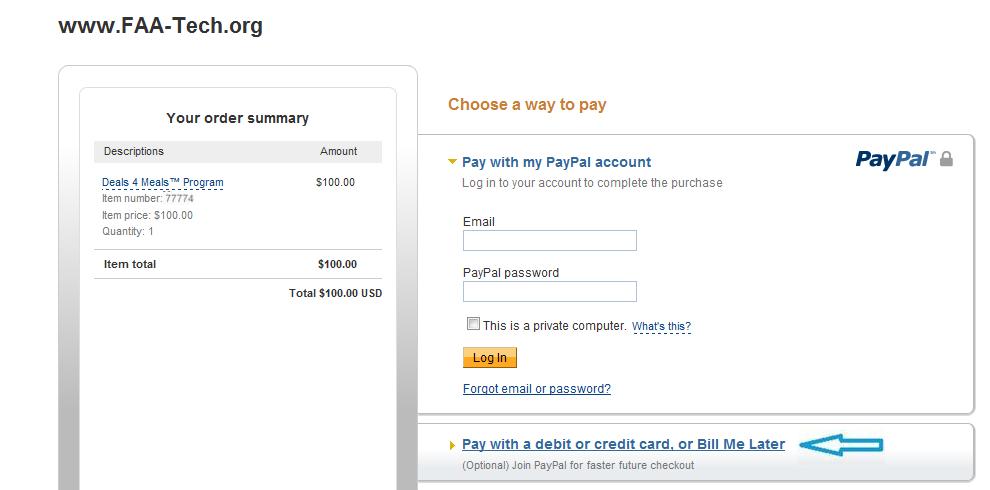
Step 1: After you've arrived on the PayPal site to check out (whether you clicked on a link or a button to arrive there), if you already have a PayPal account then just log in, BUT if you do not have a PayPal account then just click on the blue link toward the bottom of the page that reads "Pay with a debit or credit card, or Bill Me Later" (see where the blue arrow is pointing in the example screen snapshot below):
Step 2: After you've clicked on the "Pay with a debit or credit card, or Bill Me Later" link then the order form screen will automatically appear on the next screen. Just fill out the order form with your info the same way you normally would when placing an order online (see example snapshot below):
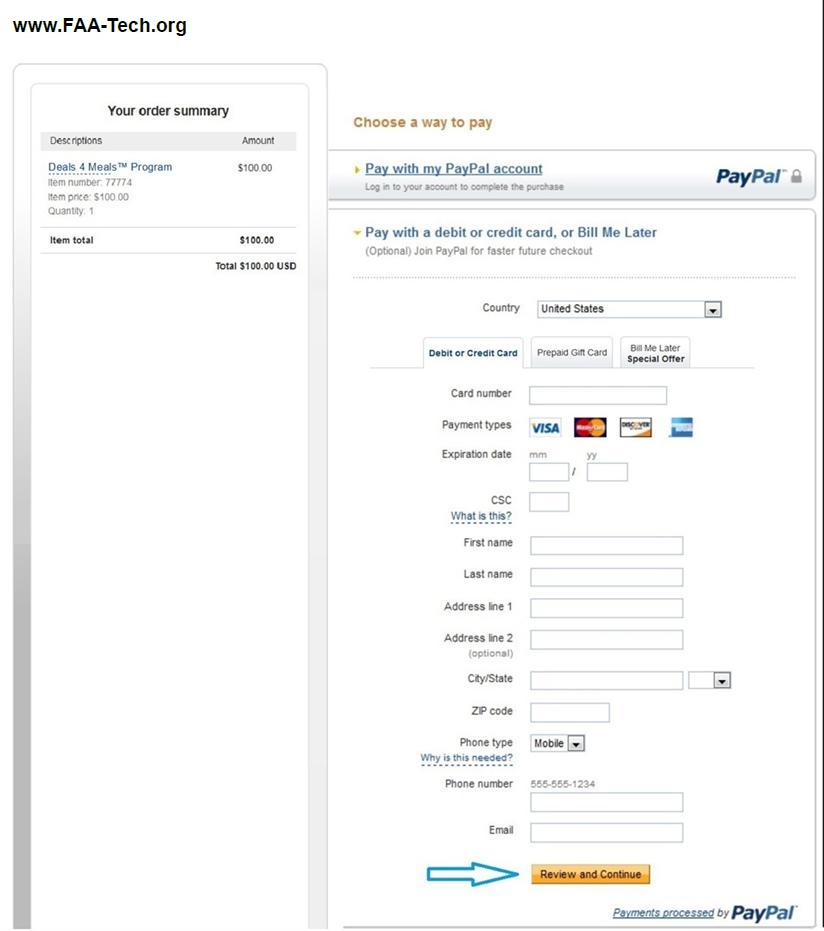
Please Note: DO NOT click on the "Prepaid Gift Card" or "Bill Me Later" at the top of the order form since this is a PayPal feature and has nothing to do with our program.
.
Step 3: After you filled out the order form and double checked to ensure NO errors, just click on the square orange button the reads "Review and Continue" (see example snapshot above where the blue arrow is pointing).
Step 4: Everything else that follows is pretty much self explanatory -- when asked if you'd like to complete your order just click on the required button to complete your order. You will know when you are done when the PayPal system generates a transaction number for you. Just keep it for your own records. And you are done.
Quick Trouble Shooting Tips
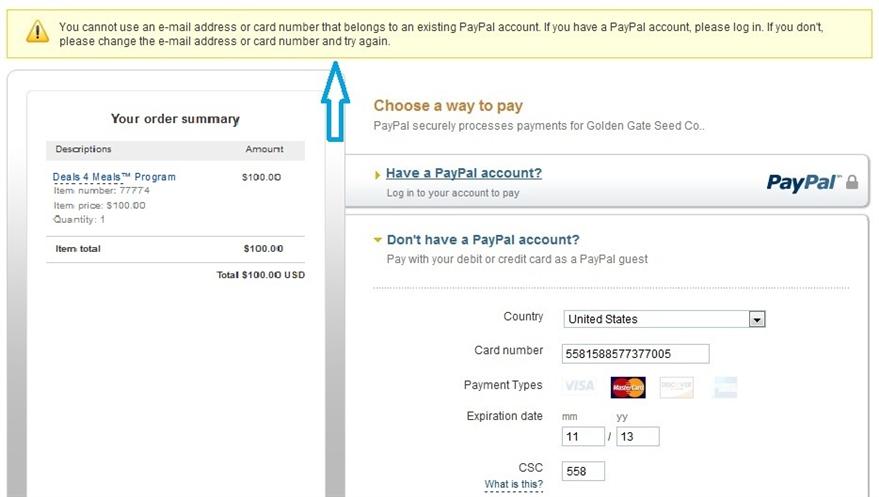
Did You Get An Error Message Like Below?
Did You Get An Error Message Like Below?
Please Also Note: If on "Step 4" you have clicked on the "Review and Continue" button and it brings you right back to the same exact page with a yellow error message banner like the above example snapshot, this could mean that PayPal's system has recognized that you (your business partner or your spouse) already has an account with PayPal, and that the email address which you've used on the order form and/or your credit or debit info is already LINKED to your account with PayPal, so in this case you may need to use a different credit or debit card. So perhaps, unless you enter a different email address and/or different credit or debit card info, the system may not allow you to proceed with submitting your payment, so you may need to use different payment info in order to submit payment.
Phone Support: If you cannot complete your order due to an error message and all trouble shooting tips have failed feel free to contact PayPal direct at: 1.888.221.1161 (PayPal hours of operation are: 4:00am to 10:00pm PST Monday through Friday, 6:00am to 10:00pm PST Saturday, and 6am to 8pm PST Sunday).
Contact Us: Also feel free to contact our company direct to speak with customer support @: 1.415.508.7367 (Hours of operation are Monday-Friday 9am to 6pm PST and Saturday-Sunday 10am to 5pm PST).
